

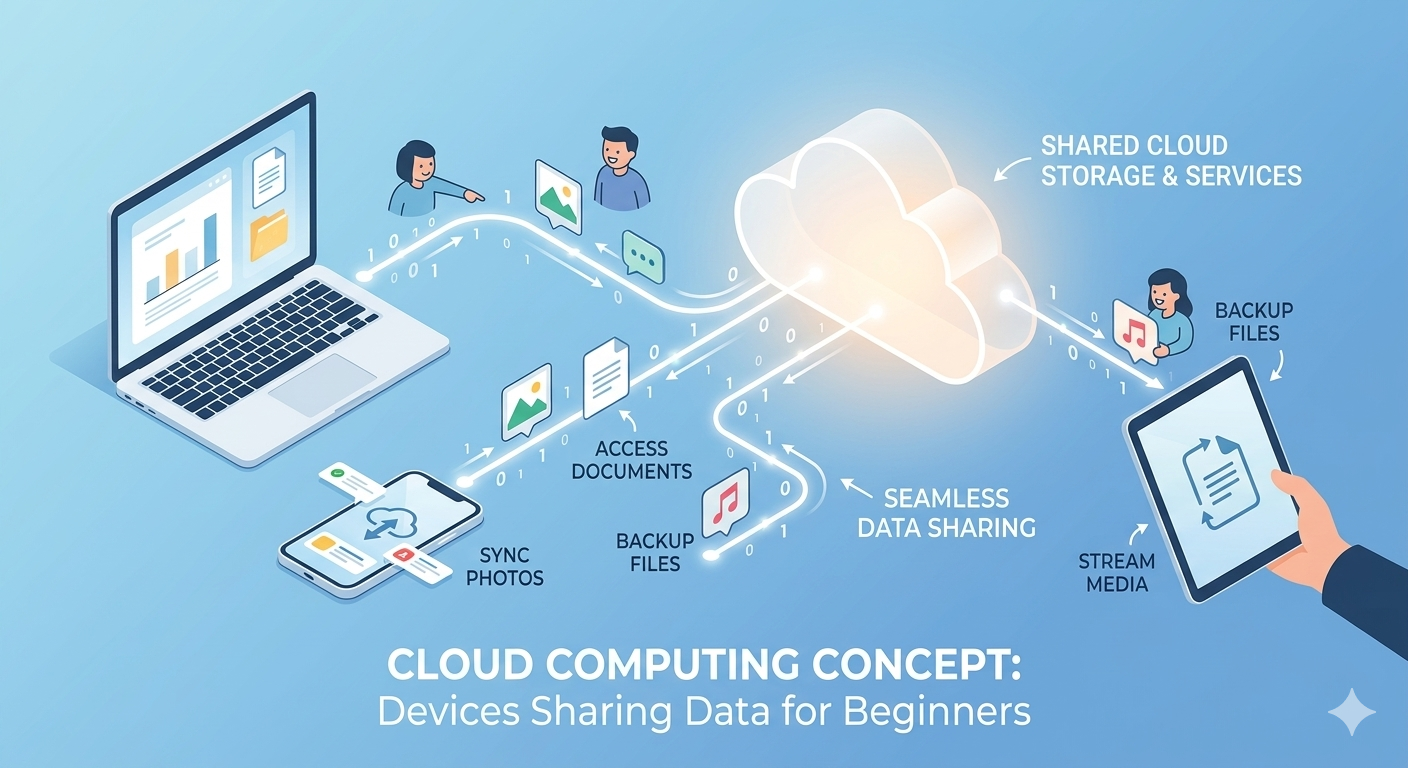
Cloud computing has transformed the way we store data, run applications, and manage our digital lives. If you have ever used Gmail, watched a movie on Netflix, or stored photos on your phone that magically appeared on your computer, you have already experienced cloud computing. Despite its widespread use, many people find the concept confusing or overly technical. This guide breaks down cloud computing in simple terms so anyone can understand what it is, how it works, and why it matters in everyday life.
At its core, cloud computing means using the internet to access computing resources instead of relying solely on your local device. Rather than saving everything on your computer’s hard drive or running programs installed directly on your machine, you connect to powerful servers located elsewhere. These servers, managed by companies like Amazon, Microsoft, and Google, handle the heavy lifting while you access everything through your web browser or apps. This shift from local to remote computing has opened up new possibilities for individuals and businesses alike.
What Exactly Is Cloud Computing
When we talk about cloud computing, we are referring to the delivery of computing services over the internet. These services include storage space, processing power, databases, networking capabilities, software applications, and analytics tools. Instead of owning and maintaining physical infrastructure, users rent access to these resources on an as-needed basis. Think of it like electricity in your home. You do not need to own a power plant to turn on your lights. You simply pay for what you use from a utility company. Cloud computing works similarly but with digital resources.
The “cloud” itself is not a fluffy thing floating in the sky. It represents massive data centers filled with thousands of servers, storage systems, and networking equipment. These facilities are located around the world and connected through high-speed internet connections. When you upload a document to Google Drive or stream music from Spotify, your data travels through the internet to these data centers where it gets processed and stored. The beauty of this system is that you can access your information from anywhere with an internet connection, using any compatible device.
How Cloud Computing Works in Simple Terms
Cloud computing explained for beginners starts with understanding the basic flow of information. When you want to perform a task like editing a document in the cloud, you open your web browser or app and log into the service. Your request travels through the internet to the cloud provider’s servers. These servers process your request, retrieve the necessary data, and send it back to your screen. All the actual computing happens remotely, which means your device only needs enough power to display the results and send your inputs back to the cloud.
This remote processing offers significant advantages. Your smartphone can run sophisticated applications that would normally require expensive hardware because the cloud servers handle the complex calculations. When you edit a photo using an online tool, the processing happens on powerful servers rather than taxing your device’s limited processor. The results appear on your screen almost instantly, creating a seamless experience. Updates and improvements happen on the server side, so you always access the latest version without downloading anything.
Different Types of Cloud Computing Services
Cloud computing explained for beginners requires understanding the three main service models. These categories describe what kind of resources the cloud provider offers and how much control you have over them. Each model serves different needs and skill levels, from casual users to technical professionals.
Infrastructure as a Service, commonly called IaaS, provides the most basic building blocks. With IaaS, you rent virtual computers, storage space, and networking components. You have complete control over the operating system and applications you install, but you do not worry about maintaining physical hardware. This model suits businesses that want flexibility without the expense of buying servers. Amazon Web Services and Microsoft Azure are popular IaaS providers that let companies scale their infrastructure up or down based on demand.
Platform as a Service, or PaaS, gives you a ready-made environment for developing and running applications. The cloud provider manages the underlying infrastructure and operating system while you focus on writing code and managing your data. Developers love PaaS because it eliminates the hassle of configuring servers and allows them to concentrate on building great software. Services like Google App Engine and Heroku exemplify this model, offering tools that speed up the development process.
Software as a Service, known as SaaS, delivers complete applications over the internet. You simply log in and use the software without worrying about installation, updates, or infrastructure. Most people interact with SaaS daily through services like Gmail, Dropbox, Microsoft 365, and Salesforce. This model is perfect for users who want convenience and accessibility without technical complexity. The provider handles everything behind the scenes while you enjoy a polished, functional application.
Major Benefits of Cloud Computing for Everyone
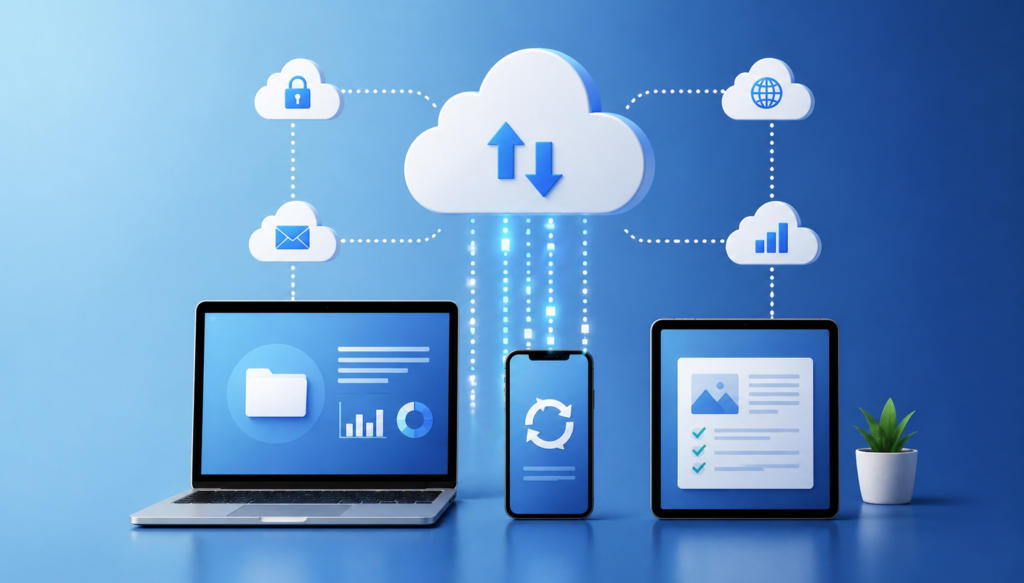
The advantages of cloud computing extend far beyond convenience. Cost savings rank among the top benefits, especially for businesses. Instead of purchasing expensive servers and software licenses upfront, organizations pay only for what they use. This subscription model turns large capital expenses into manageable monthly fees. Individuals also save money by accessing powerful tools without buying expensive hardware or software packages.
Accessibility represents another transformative benefit. Cloud services let you work from anywhere with an internet connection. You can start a project on your office computer, make edits on your tablet during your commute, and finalize it on your laptop at home. This flexibility has enabled remote work and global collaboration on an unprecedented scale. Teams spread across different countries can simultaneously work on the same documents, seeing changes in real time.
Automatic updates ensure you always use the latest features and security patches without lifting a finger. Traditional software required manual downloads and installations that could disrupt your work. Cloud applications update themselves on the server side, so improvements appear automatically. This seamless updating process keeps your tools current and secure without requiring technical knowledge or time investment.
Scalability allows cloud computing resources to grow with your needs. During busy periods, you can instantly access more storage or processing power, then scale back when demand decreases. This elasticity prevents both resource shortages and waste. A small business can start with minimal resources and expand as it grows without making risky infrastructure investments.
Common Cloud Computing Examples in Daily Life
Cloud computing explained for beginners becomes clearer through everyday examples. Email services like Gmail and Outlook store your messages on remote servers rather than your device. This arrangement lets you access your inbox from any computer or phone while providing virtually unlimited storage. The email provider handles spam filtering, security, and backups automatically.
Streaming services including Netflix, Spotify, and YouTube represent cloud computing in entertainment. Instead of downloading movies or songs to your device, you stream content directly from the cloud. This approach saves storage space and gives you instant access to massive libraries of media. The streaming company manages the servers that store and deliver content to millions of users simultaneously.
Cloud storage services like Google Drive, Dropbox, and iCloud backup your files and make them available across all your devices. Photos you take on your phone appear on your computer without manual transfers. Documents you create at work remain accessible at home. These services also protect your data from device failures or losses since copies exist safely in the cloud.
Online office suites such as Google Workspace and Microsoft 365 let you create documents, spreadsheets, and presentations entirely in your browser. Multiple people can edit the same file simultaneously, seeing each other’s changes in real time. This collaborative capability has revolutionized teamwork and eliminated the confusion of emailing document versions back and forth.
Understanding Cloud Security and Privacy
Security concerns often arise when discussing cloud computing explained for beginners. Storing personal or business data on servers you do not control feels risky to many people. However, reputable cloud providers invest heavily in security measures that exceed what most individuals or small businesses could implement themselves. These companies employ security experts, use advanced encryption, and maintain redundant systems to protect your data.
Encryption protects your information both during transmission and while stored on servers. This technology scrambles your data so that even if someone intercepts it, they cannot read it without the decryption key. Most cloud services encrypt data automatically, adding a strong layer of protection. You should still use strong, unique passwords and enable two-factor authentication whenever possible to further secure your accounts.
Privacy policies vary among cloud providers, so understanding what happens to your data matters. Reputable companies clearly explain how they use, store, and protect your information. They comply with regulations like GDPR in Europe and various privacy laws in the USA, UK, and Canada. Before using a cloud service, review its privacy policy and terms of service to understand your rights and the company’s responsibilities.
Regular backups represent another security advantage of cloud computing. Providers maintain multiple copies of your data across different locations. If one data center experiences problems, your information remains safe in other facilities. This redundancy protects against data loss from hardware failures, natural disasters, or accidents much more effectively than relying on a single local device.
Getting Started with Cloud Computing
Beginning your cloud computing journey requires no special technical skills. Start by identifying tasks that would benefit from cloud access. Do you need to access files from multiple devices? Would you like to collaborate on documents with others? Do you want automatic backups of your important photos and files? Answering these questions helps you choose the right services.
Most cloud platforms offer free tiers that let you try their services without financial commitment. Google provides free storage with Google Drive, Microsoft offers free versions of Office apps through a web browser, and many other services have free starter plans. These free options let you explore cloud computing explained for beginners in a hands-free way without risk.
Setting up a cloud account typically involves providing an email address, creating a password, and verifying your identity. Once registered, you can immediately start uploading files, creating documents, or using applications. Most services offer tutorials and guides that walk you through basic features. Take time to explore the interface and experiment with different functions to build confidence.
Organizing your cloud files from the start prevents future headaches. Create clear folder structures that make sense for your needs. Name files descriptively so you can find them easily later. Many cloud services include search functions that help locate specific documents quickly, but good organization still saves time and reduces frustration.
Choosing the Right Cloud Services for Your Needs
The cloud computing market offers countless options, which can overwhelm beginners. Focus on your specific requirements rather than trying to use every available service. For personal use, consider what you do most often on your devices. If you take many photos, prioritize cloud storage with good photo management. If you write documents frequently, look for services with strong word processing capabilities.
Popular all-in-one ecosystems like Google Workspace or Microsoft 365 provide storage, email, office applications, and collaboration tools in single packages. These comprehensive solutions work well for most users because they integrate smoothly and cover common needs. You can access everything through one account with a consistent interface across services.
Specialized cloud services excel at particular tasks. Dropbox focuses on file synchronization and sharing. Slack specializes in team communication. Trello offers project management tools. Using specialized services alongside a general platform lets you optimize your workflow. Many services integrate with each other, allowing seamless data flow between applications.
Cost considerations matter when selecting cloud services. Free tiers often suffice for light use, but you may need paid plans as your needs grow. Compare pricing structures carefully since some services charge per user while others bill based on storage or features. Annual subscriptions typically cost less than monthly payments, offering savings if you commit to a service long-term.
Future Trends in Cloud Computing
Cloud computing continues evolving rapidly with new capabilities emerging regularly. Artificial intelligence and machine learning increasingly integrate into cloud services, enabling smarter applications. Photo services now automatically organize images by recognizing faces and objects. Email systems filter spam more effectively using AI. These intelligent features will become more sophisticated and widespread.
Edge computing represents a growing trend that processes data closer to where it originates rather than sending everything to distant data centers. This approach reduces delays and works better for time-sensitive applications like autonomous vehicles or smart home devices. Edge computing complements traditional cloud services by handling tasks that need immediate responses while still connecting to the cloud for storage and advanced processing.
Hybrid cloud solutions combining private and public cloud resources give organizations more flexibility. Businesses can keep sensitive data on private servers they control while using public cloud services for less critical tasks. This balanced approach addresses security concerns while still capturing cloud benefits. As hybrid technologies mature, they will become easier for smaller organizations to implement.
Increased focus on sustainability will shape cloud computing’s future. Data centers consume enormous amounts of electricity, prompting providers to invest in renewable energy and efficient cooling systems. Cloud companies are committing to carbon neutrality and building facilities powered entirely by clean energy. Using cloud services from environmentally conscious providers helps reduce your digital carbon footprint.
Overcoming Common Cloud Computing Challenges
Despite its benefits, cloud computing explained for beginners must address potential drawbacks. Internet dependency represents the most obvious limitation. Without a reliable connection, you cannot access cloud services. This requirement poses problems in areas with poor internet infrastructure or during outages. Some cloud applications offer offline modes that sync changes when connectivity returns, partially mitigating this issue.
Learning curves exist when switching to new cloud platforms. Each service has unique interfaces and features that take time to master. Patience and willingness to explore help overcome initial confusion. Most providers offer extensive help documentation, video tutorials, and customer support to assist new users. Investing time in learning pays dividends through increased productivity once you become comfortable.
Data transfer speeds can frustrate users uploading or downloading large files. While internet speeds continue improving, moving gigabytes of data still takes time. Planning ahead and using wired connections instead of Wi-Fi speeds up transfers. Some cloud services offer tools to upload massive amounts of data efficiently or even ship physical hard drives to their data centers for bulk uploads.
Vendor lock-in concerns arise when you invest heavily in one cloud ecosystem. Switching providers becomes difficult if your data and workflows deeply integrate with specific services. Using open standards and maintaining local backups of critical information provides flexibility. Choosing providers that support data export and offer migration tools reduces switching friction if you later decide to change services.
FAQs
What is cloud computing in simple words?
Cloud computing means using internet-connected servers to store data, run applications, and access computing power instead of relying only on your local device. It lets you access your files and programs from anywhere with an internet connection.
Is cloud computing safe for personal use?
Yes, reputable cloud providers use strong encryption and security measures that often exceed what individuals can implement themselves. Using strong passwords, enabling two-factor authentication, and choosing trusted providers keeps your data secure.
Do I need technical skills to use cloud computing?
No, most cloud services are designed for everyday users without technical backgrounds. If you can browse the internet and use basic apps, you can use cloud computing. Providers offer user-friendly interfaces and helpful tutorials for beginners.
What happens to my data if the cloud company goes out of business?
Major cloud providers like Google, Microsoft, and Amazon are stable companies unlikely to disappear suddenly. However, you should maintain backups of critical data locally or with multiple providers. Most services let you download your information if you decide to leave.
How much does cloud computing cost?
Many cloud services offer free tiers with basic features and limited storage. Paid plans typically range from a few dollars to twenty dollars monthly for individual users, depending on storage needs and features. Business plans cost more but scale with usage.
Conclusion
Cloud computing explained for beginners reveals a technology that has become essential to modern digital life. From storing photos to collaborating on work projects, cloud services offer convenience, accessibility, and power that traditional computing cannot match. Understanding the basics of how cloud computing works, the different service types, and the benefits it provides empowers you to make informed decisions about which services suit your needs. While challenges like internet dependency and learning curves exist, the advantages far outweigh the drawbacks for most users. Starting with free services lets you explore cloud computing without risk, building confidence and skills gradually. As cloud technology continues evolving with artificial intelligence, edge computing, and sustainable practices, becoming familiar with these tools now prepares you for the future. Whether you want to access files across devices, collaborate with others remotely, or simply protect your precious memories, cloud computing offers practical solutions that simplify and enhance your digital experience.